Bearer token rotation
Create and revoke SCIM bearer tokens from the WorkOS Dashboard or Admin Portal.
SCIM bearer tokens authenticate the requests an identity provider sends to your directory sync endpoint. Tokens can now be created and revoked on demand from two places:
- The WorkOS Dashboard – on the directory details page, replacing the static bearer token field.
- The Admin Portal – on the post-configuration page for an existing directory, so IT contacts can manage tokens themselves without contacting your team.
Up to two tokens can be active on a directory at the same time, which makes it possible to rotate tokens with no downtime.
- Customer self-service. IT contacts can rotate a leaked or expiring token from the Admin Portal without filing a support ticket or waiting on your engineering team.
- Zero-downtime rotation. Because two tokens can be active at once, you can roll a new token out to the identity provider and confirm SCIM traffic is healthy before revoking the old one.
- Better hygiene. Newly generated tokens are revealed exactly once at creation time which limits the impact of a leaked dashboard or admin portal session.
Sign in to the WorkOS Dashboard and open the directory you want to manage. The Bearer tokens card on the directory details page lists every active token along with when it was created and last used.
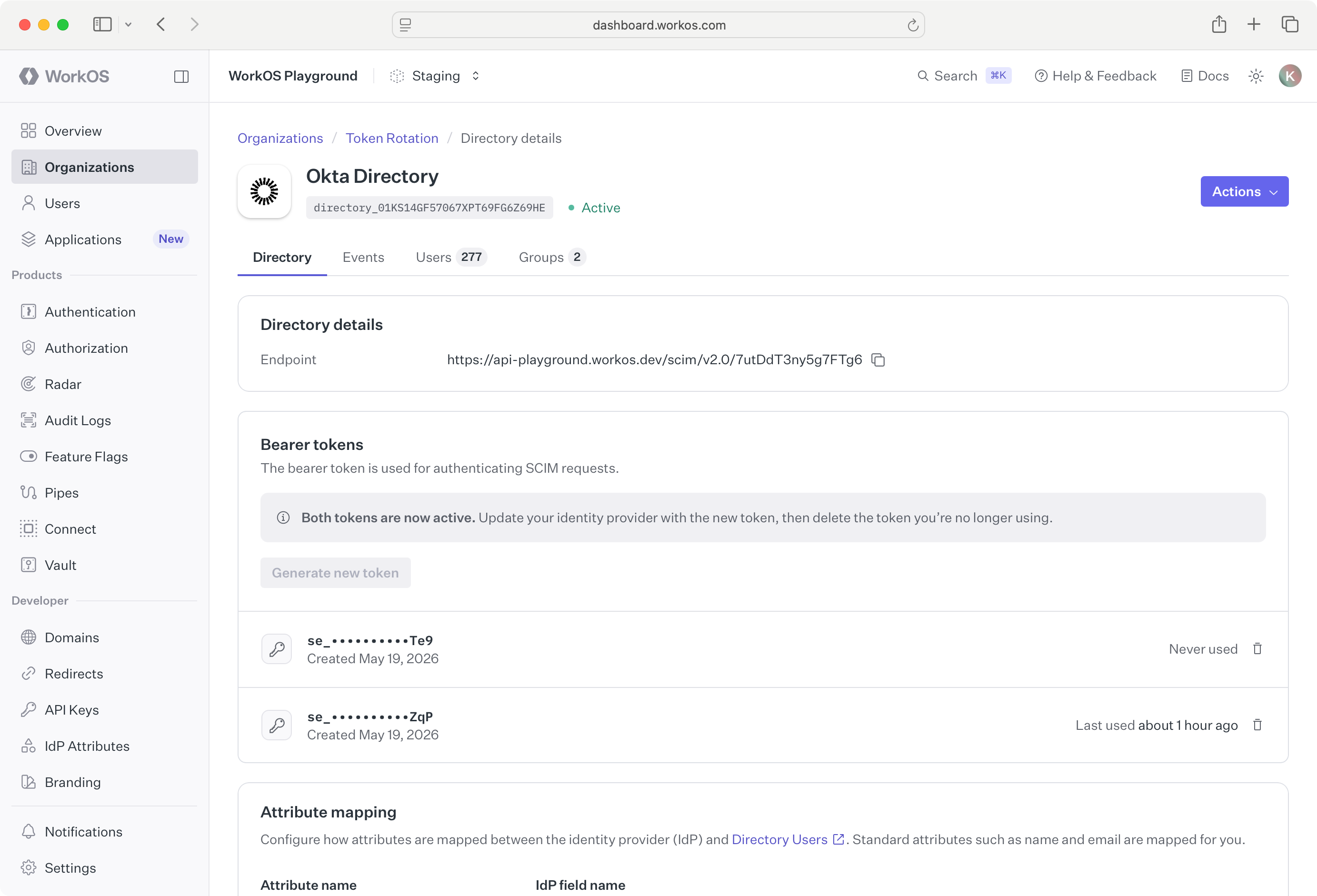
To generate a token, click Generate token. The new token is shown once. Copy it immediately and store it somewhere secure; you will not be able to view it again.
To revoke a token, click on the revoke action for the row you are removing and confirm the revocation. Any SCIM requests still using that token will start failing immediately after it is revoked, so make sure the identity provider has been updated to use a different active token first.
When an IT contact opens the Admin Portal post-configuration page for a SCIM directory, they see the same Bearer tokens card with the same generate and revoke actions.
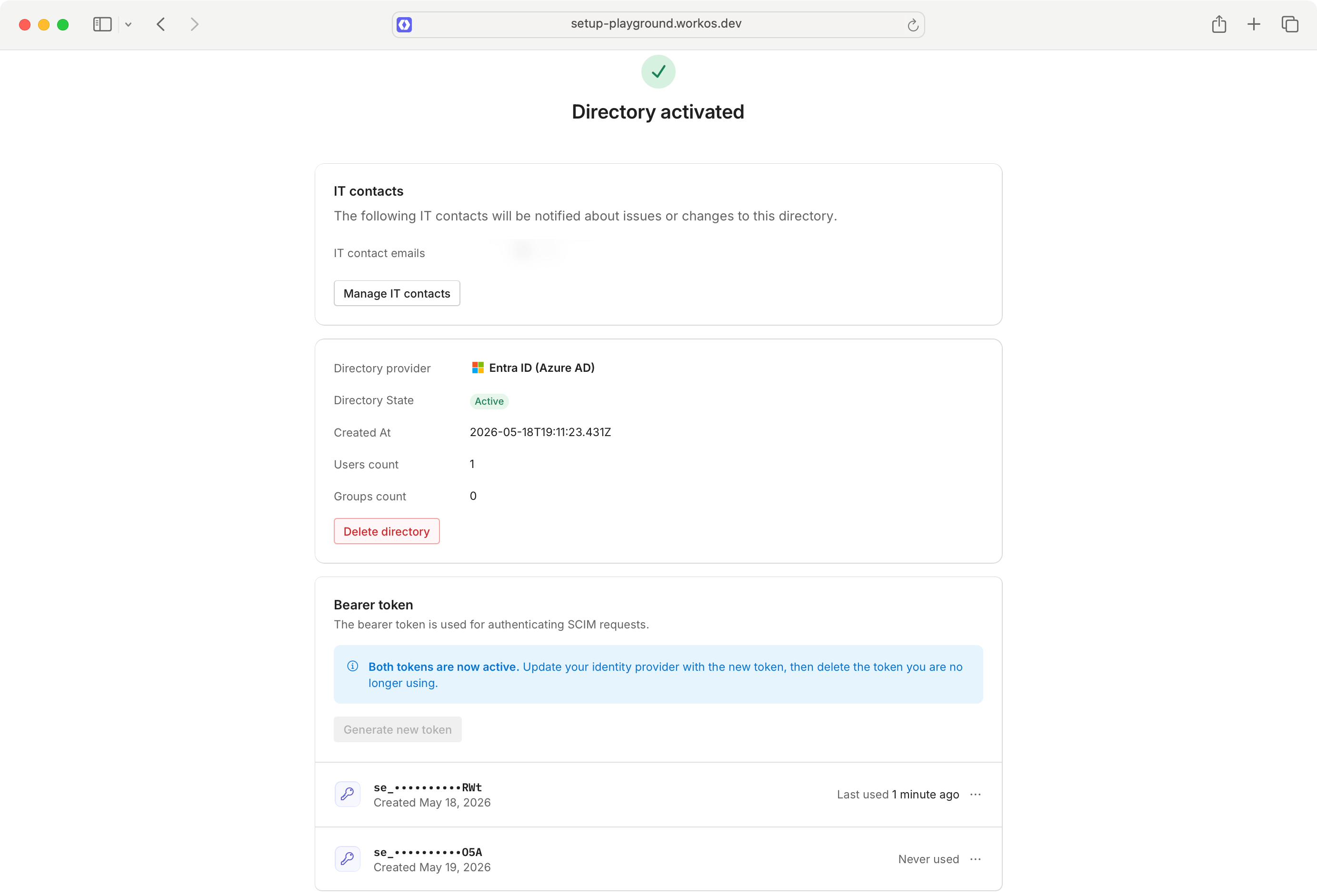
After clicking Generate token, the IT contact is shown the secret once and prompted to copy it into their identity provider. Once both tokens are active, a callout reminds them to update their identity provider and revoke the older token when they are done.
The recommended flow for rotating a token without dropping SCIM traffic:
- From the Dashboard or the Admin Portal, click Generate token to create a second token. Copy the secret.
- Update the identity provider’s SCIM connector with the new token.
- Trigger or wait for a SCIM request and confirm the new token’s Last used timestamp updates.
- Revoke the old token.
A directory can have at most two active tokens at any time. If you already have two, revoke one before generating another.
There is nothing to do for existing integrations.
- No code changes. Your application continues to consume the same SCIM endpoint, and existing webhook payloads, SDK calls, and event types are unchanged.
- No breaking changes. Tokens currently displayed in the Dashboard keep working until they are explicitly revoked.
- New tokens are managed in the new UI. Tokens generated from the Dashboard or Admin Portal are only viewable at creation time and only manageable through the new token UI in either surface.